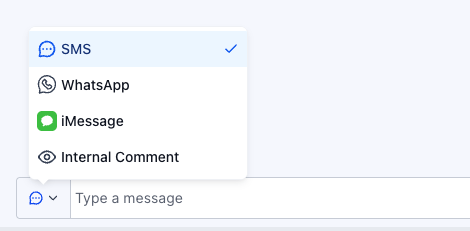
Whitelabel branding
In order to remove our Project Blue branding from the Conversations tab, you’ll need to utilize a custom script to update the nav to allow for this
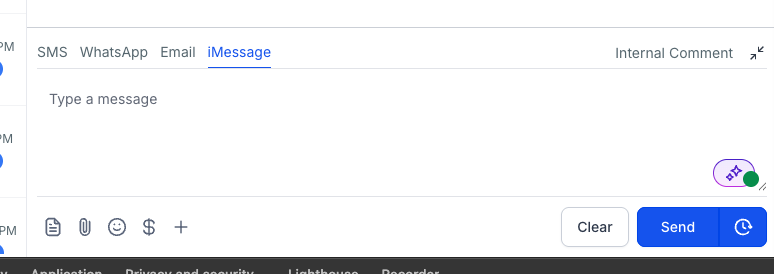
Example after implementing script:
Directions:
Head over to your agency account settings (Found in the left hand nav bar)
Navigate over to Company > Whitelabel from the left hand top nav bar
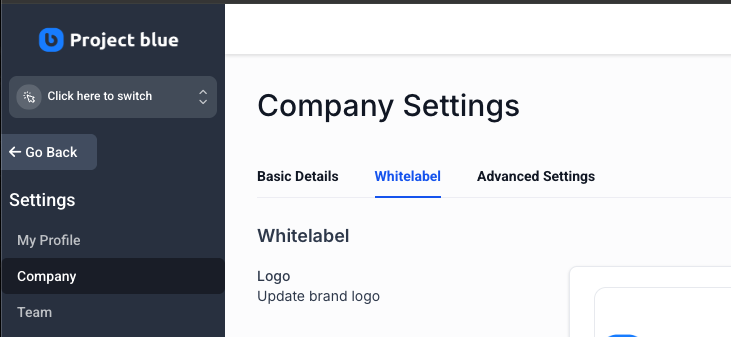
Scroll down to Custom JS and add the Script file below, paste it, save changes then please proceed to the desired sub account where Project Blue is installed and you’ll see our iMessage only option
Javascript:
<script>
(function () {
  const OLD = 'Project Blue iMessage';
  const NEW = 'iMessage';
  const ICON = '<svg viewBox="0 0 24 24" class="w-5 h-5 flex-shrink-0" fill="none" xmlns="http://www.w3.org/2000/svg"><rect width="24" height="24" rx="6" fill="#34C759"/><path d="M12 5.5c-3.9 0-7 2.6-7 5.8 0 1.8 1 3.4 2.6 4.5-.1.9-.6 2-1.4 2.7 1.5 0 2.9-.6 3.8-1.4.6.1 1.3.2 2 .2 3.9 0 7-2.6 7-5.9S15.9 5.5 12 5.5z" fill="#fff"/></svg>';

  function fix() {
    // Swap the Project Blue logo for an iMessage-style icon
    document.querySelectorAll('img[alt="' + OLD + '"]').forEach(function (img) {
      const t = document.createElement('template');
      t.innerHTML = ICON;
      img.replaceWith(t.content.firstChild);
    });
    // Rename the label wherever it shows up
    const w = document.createTreeWalker(document.body, NodeFilter.SHOW_TEXT);
    const hits = [];
    let n;
    while ((n = w.nextNode())) {
      if (n.nodeValue.trim() === OLD && n.parentElement && n.parentElement.tagName !== 'SCRIPT') hits.push(n);
    }
    hits.forEach(function (n) { n.nodeValue = n.nodeValue.replace(OLD, NEW); });
  }

  let queued = false;
  new MutationObserver(function () {
    if (queued) return;
    queued = true;
    requestAnimationFrame(function () { queued = false; fix(); });
  }).observe(document.body, { childList: true, subtree: true, characterData: true });

  fix();
})();
</script>
Result
After the script is added, please go ahead refresh the page and you'll see the updated icon here for you!