
Understanding Your Account Health Score
The Account Health page shows how healthy your account's messaging is, and what you can change to keep your lines in good standing with Apple and the carriers.
Open Account Health
In the Project Blue web app, click Account Health in the left menu.
Account Health is available to account owners and admins on paid accounts. It isn't shown on trial accounts, and team members without admin access can't open it.
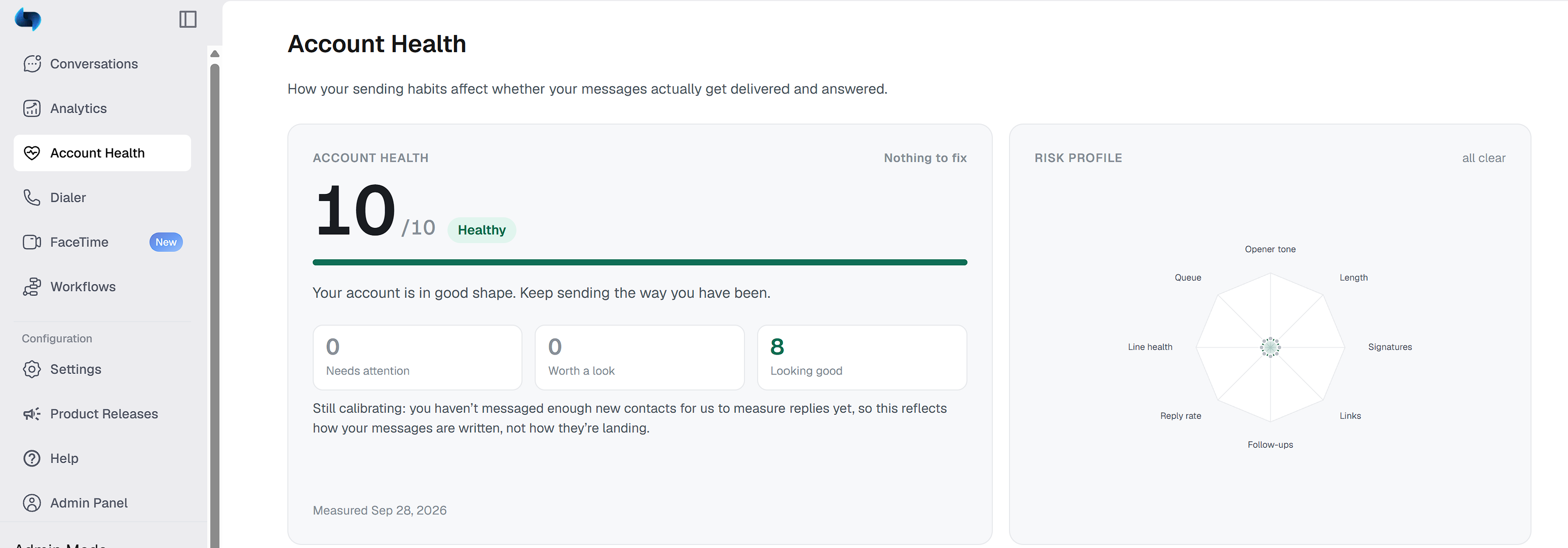
Your score
Your account gets a score out of 10 and a label: Healthy, Needs attention or At risk (for example, 7/10 Needs attention). A higher score means your messaging looks healthy. A lower score means some of your messages look like patterns that get numbers flagged as spam.
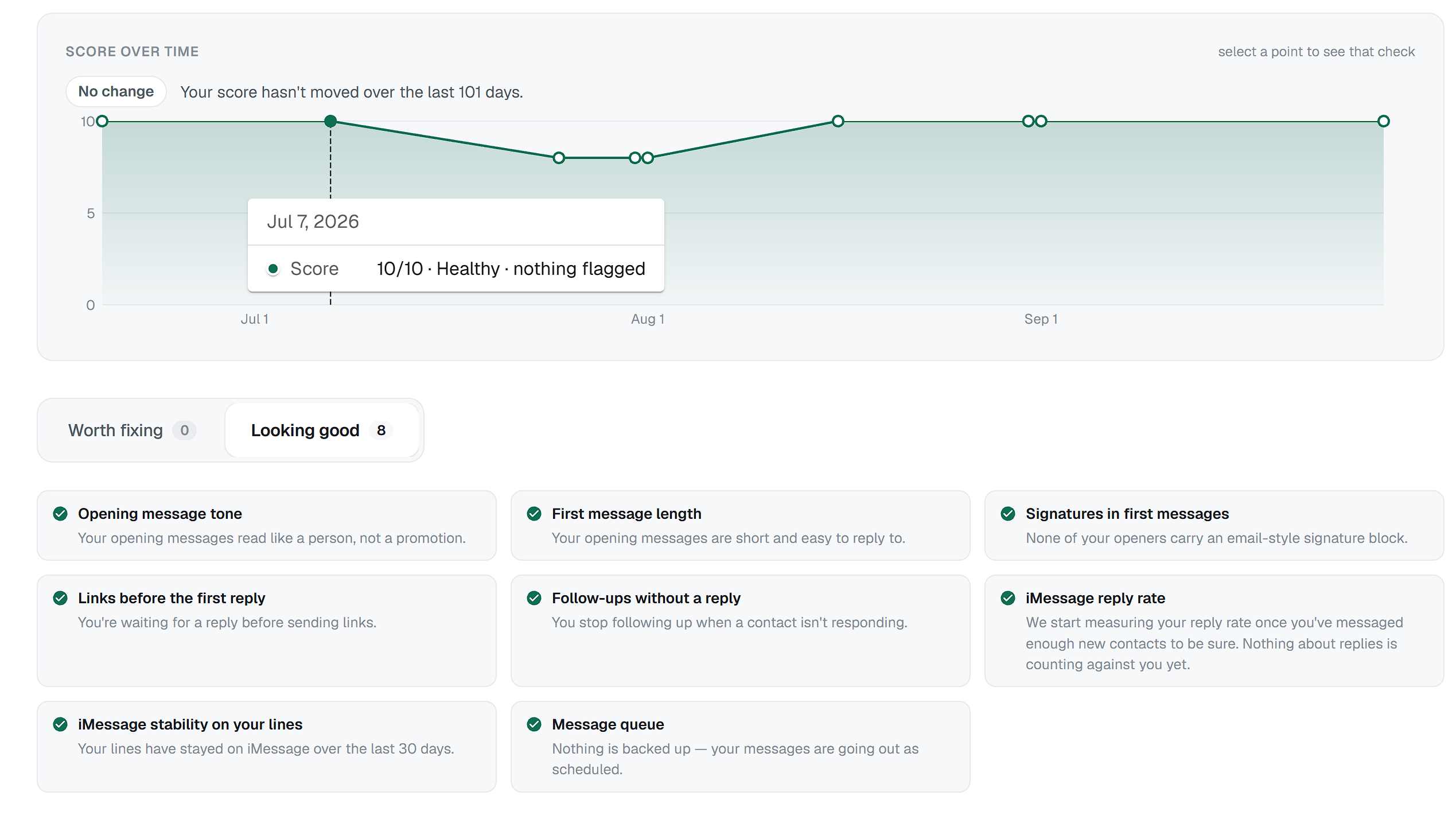
The score covers your whole account, and some checks list the lines they affect. It refreshes every few days, and new accounts see “We're still measuring” for the first few days. After a couple of checks, the page also shows how your score has changed over time, so you can see when a dip started. If your account is At risk, a banner appears on the page.
What lowers your score
The page runs 8 checks on your messaging. Each one shows Good, Worth a look or Needs attention, with a tip on what to do. The checks that lower your score include:
Spammy offer in a first message. Opening a conversation with a hard sales pitch or promotional offer.
Long first message. Sending a large block of text as the first message to a new contact.
Signature in a first message. Ending a first message with an email-style signature.
Link before the contact replies. Sending a link to someone who hasn't replied to you yet.
Several follow-ups with no reply. Sending a long sequence to contacts who never answer.
The page also checks your iMessage reply rate, how stable iMessage is on your lines, and your message queue.
Each check shows a few example messages from your own account. Click a phone number to open that chat.
How to improve your score
Open new conversations with a short, personal message, like you'd text someone you know.
Save links and offers until the contact has replied.
Leave signatures out of text messages.
Stop following up after a few messages with no reply.
Your score updates as your messaging changes.
Your score and line restrictions
The patterns that lower your score are the same ones that can get your messages filtered before anyone reads them, and they can contribute to a line being restricted. A good score lowers that risk but doesn't guarantee a line won't be restricted. If one of your lines is restricted, contact Project Blue support.
Questions about your score
If your score looks wrong, or you're not sure how to fix it, contact Project Blue support. We'll go through it with you.