The Use of API keys are only for Close CRM or unsupported CRM's that is not a natively supported CRM type
Create an API key to set up with Zapier
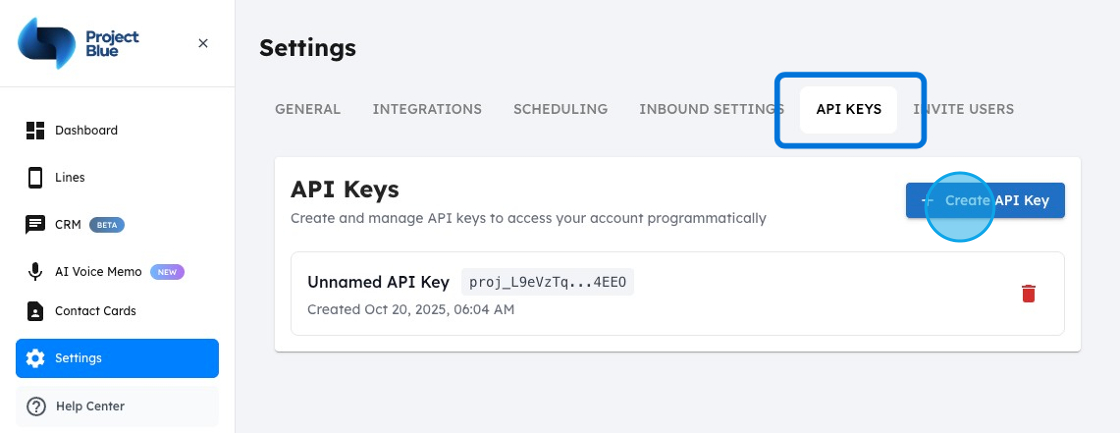
1. Head to the Project Plue app, navigate to "Settings"
2. Within Settings select "API keys"
3. Generate a new API key
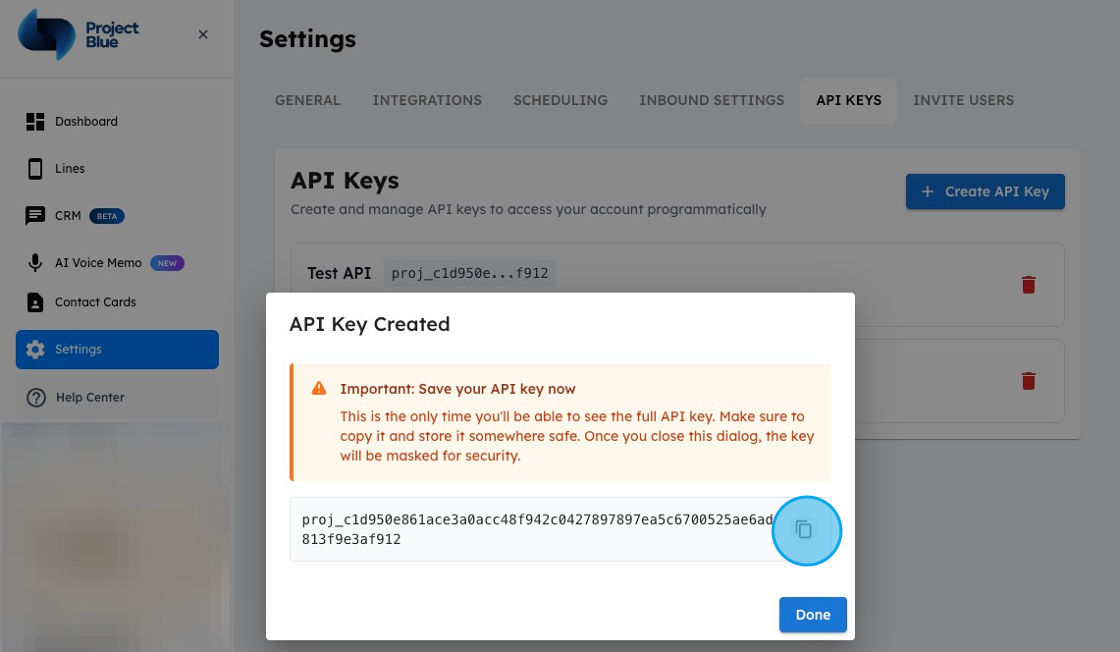
The api key will only be revealed once before is disappears so please copy it and store it somewhere safely. You'll only be able to regenerate keys
Copy Key and Save somewhere safely
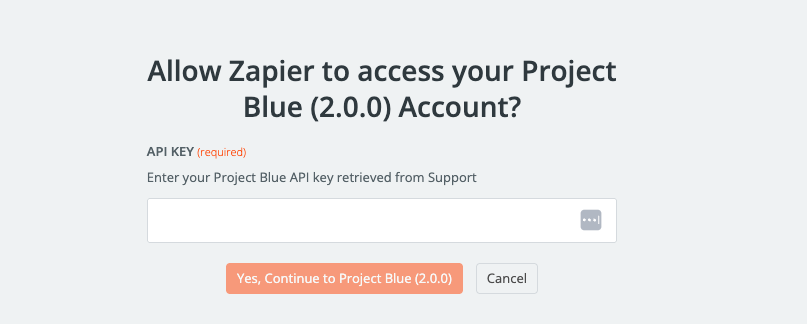
4. Head to Zapier (or other API Platform) and paste in API