
Do Not Disturb (DND) Contacts from GoHighLevel
If a contact is marked Do Not Disturb (DND) in GoHighLevel, Project Blue respects it. This article explains what that looks like, where to find DND contacts, and how to message them again. DND comes from GoHighLevel, so it applies to GoHighLevel accounts.
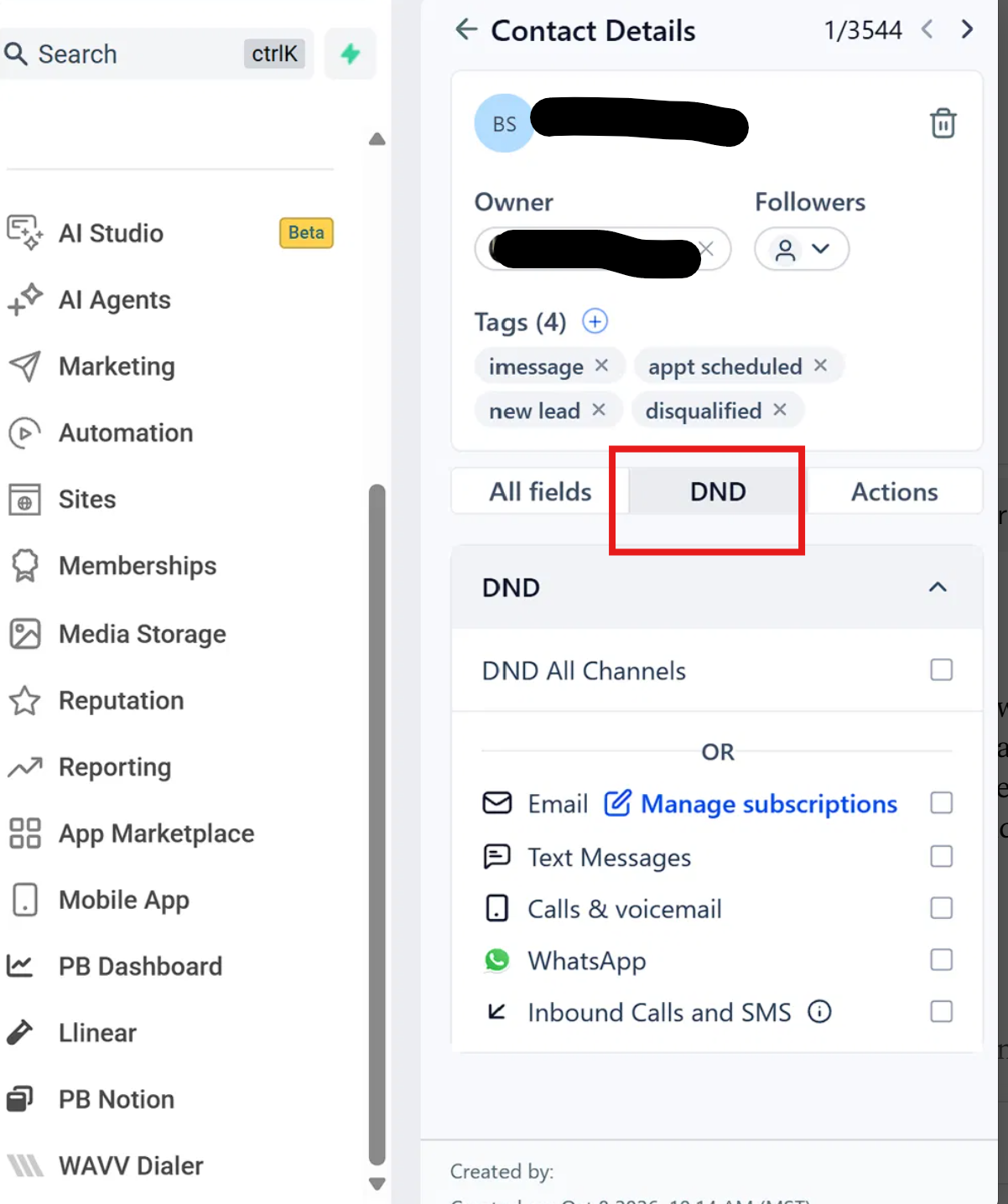
What DND covers
When a contact has DND turned on in GoHighLevel, Project Blue respects it for:
GoHighLevel workflow actions (for example, Send iMessage)
Messages sent from the GoHighLevel conversation
Messages you type in the Project Blue app to a number that is a contact in GoHighLevel
Project Blue workflows
Project Blue picks up DND from GoHighLevel automatically. When you turn DND on for a contact, it takes effect in Project Blue within about an hour.
What you'll see
In the GoHighLevel conversation, a message to a DND contact shows as failed, with the reason:
Contact is on Do Not Disturb in HighLevel
In the Project Blue app, the message shows as not delivered, and the message box shows a note that the contact is marked Do Not Disturb in GoHighLevel.
Workflow sends to a DND contact don't go out. A Project Blue workflow run shows Run cancelled.
Where to find DND contacts in Project Blue
DND contacts appear under Blocked in the Project Blue Conversations inbox, alongside contacts your team blocked and contacts who texted STOP. Their replies still come in, and show under Blocked. See Blocked contacts for details.
How to message a DND contact again
In GoHighLevel, open the contact and turn DND off.
Project Blue picks up the change automatically.
DND is managed in GoHighLevel, so turn it off there. It can't be changed from the Project Blue app.
Common issues
DND is off in GoHighLevel, but messages still fail. Project Blue checks DND by phone number across all the locations on your account, so another GoHighLevel contact with the same number that still has DND on keeps the number blocked. Search every location for contacts with that number and turn DND off on each one, including the SMS-only setting. If messages still fail, contact Project Blue support.
A contact you just put on DND still got a message. New DND changes take up to an hour to reach Project Blue.