
How to Uninstall and Reinstall the Project Blue App in GoHighLevel
If you're experiencing issues with your Project Blue and GoHighLevel integration, uninstalling and reinstalling the connection can often resolve them. Follow the steps below.
Step 1: Log in to the Project Blue Web App
Go to app.tryprojectblue.com and log in with your Project Blue credentials.
Step 2: Go to Settings
Click on Settings in the left-hand sidebar.
Step 3: Open General Settings
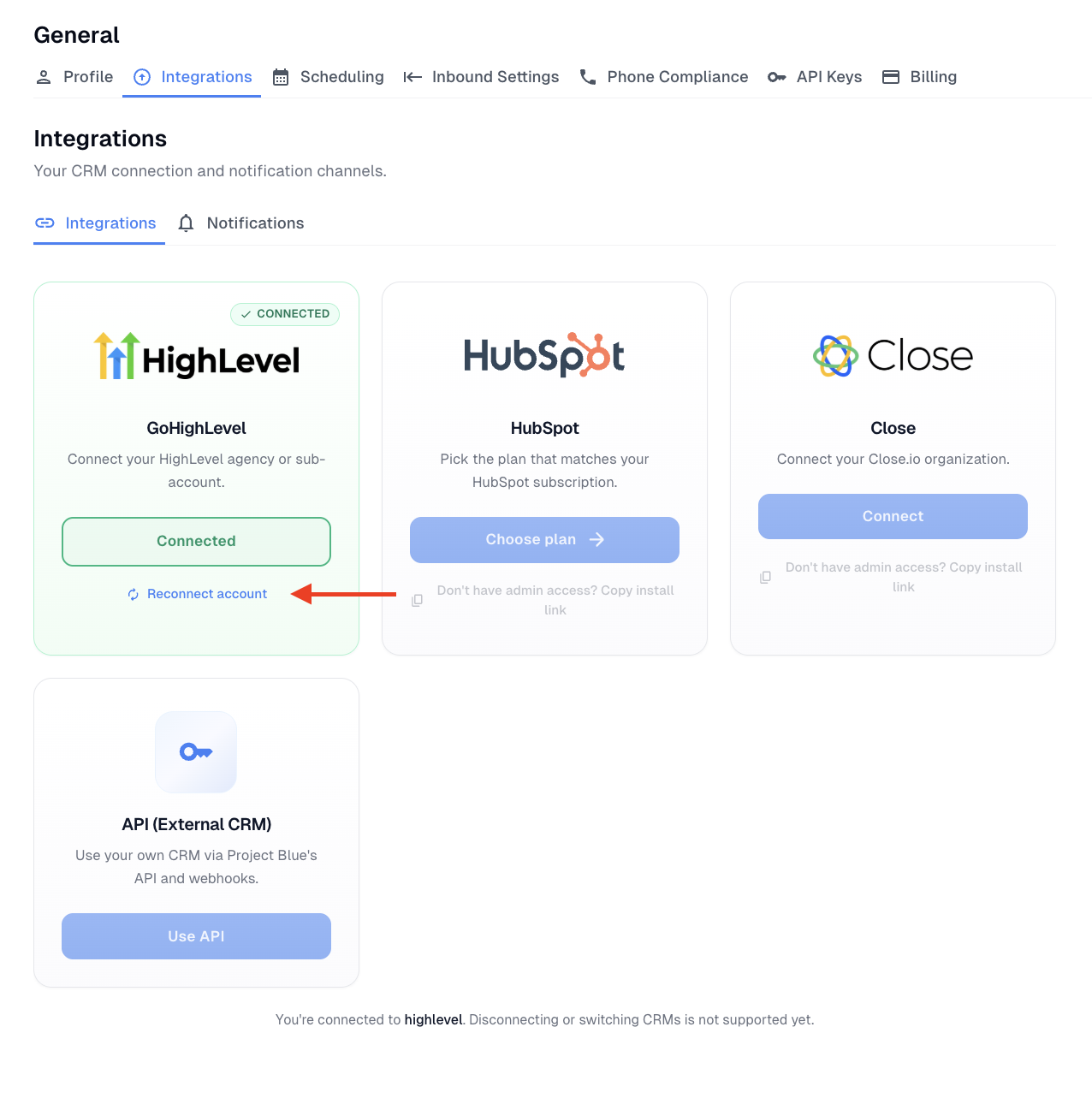
Click on General, then select the Integrations tab at the top of the page.
Step 4: Reconnect GoHighLevel
Under the GoHighLevel card, click the Reconnect button. This will uninstall the existing connection and prompt you to reauthorize Project Blue with your GoHighLevel account.
Note: If you are not the agency admin in GoHighLevel, use the "Copy install link" option to share the reconnection link with your admin.
Step 5: Authorize the Connection
Follow the prompts to reauthorize the connection between Project Blue and your GoHighLevel agency or sub-account. Once completed, your integration will be back up and running.
You're All Set!
Your Project Blue and GoHighLevel integration has been successfully reinstalled. If the issue persists after reconnecting, please reach out to our support team at support@tryprojectblue.com and we'll be happy to help.