
Set Default Provider (Optional)
Before you switch
If you currently send SMS through your LeadConnector (A2P) number, setting Project Blue as your default sends that volume through Project Blue lines instead. Each line can start texting up to 50 new contacts per day, and extra messages wait until the next day. Ramp up volume gradually.
You need agency admin access in GoHighLevel to change the provider. If you don't see the option, ask your agency admin or contact Project Blue support.
What does setting the default provider do?
Setting the default provider makes all SMS messages come through our system. Anywhere you use the "SMS" workflow action or the "SMS" Conversation Provider option, the message goes out through a Project Blue line. Project Blue checks whether the contact is on iMessage and sends the message as a text (SMS) if they aren't.
With Project Blue as the default, replies from your leads also stay on Project Blue, instead of GoHighLevel switching the thread to SMS.
Why would you want that?
Setting the default provider is a great fit if you use Project Blue as your full messaging provider and don't rely on your traditional A2P message lines.
This is set per sub-account, and there is one default. If you want to keep your A2P line for some messages, keep LeadConnector as the default and use the Project Blue Send iMessage action instead.
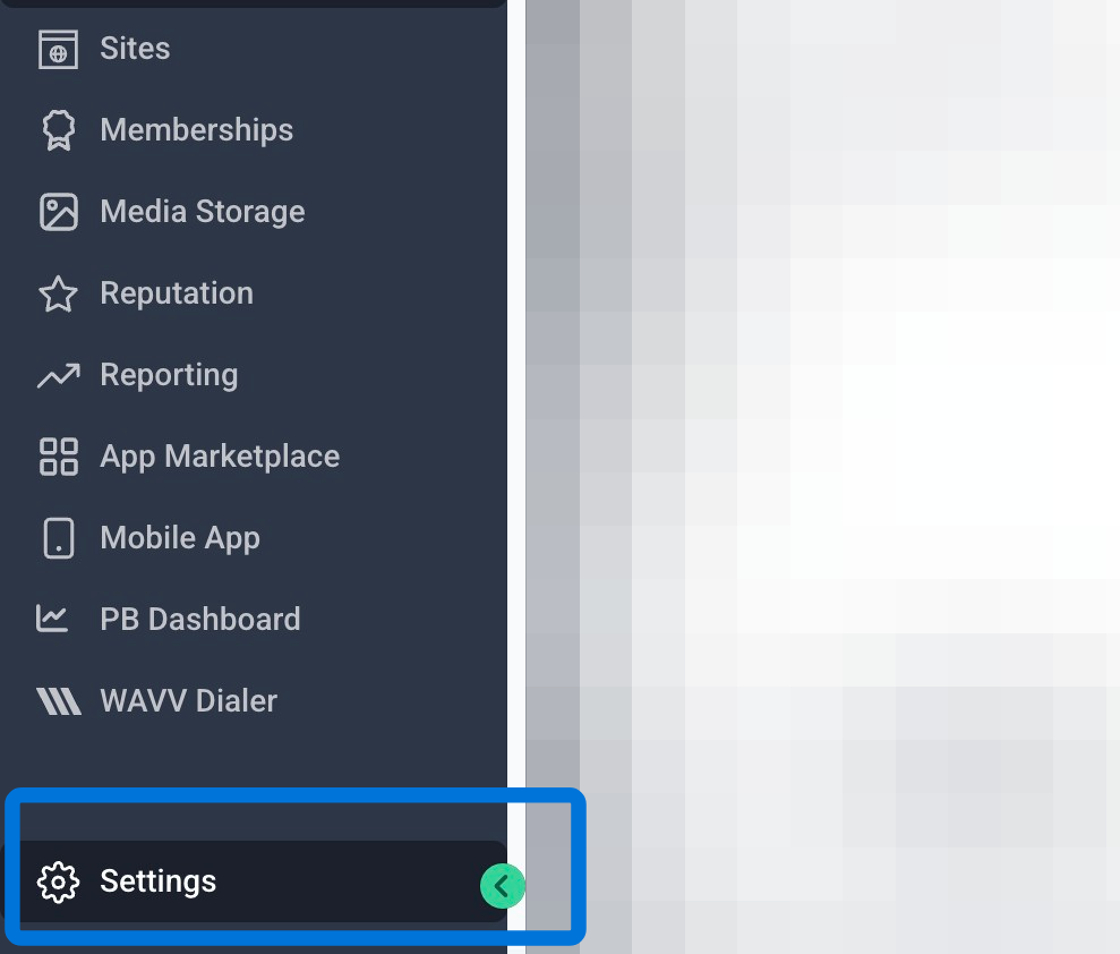
1. Navigate to your desired sub-account and click into "Settings"
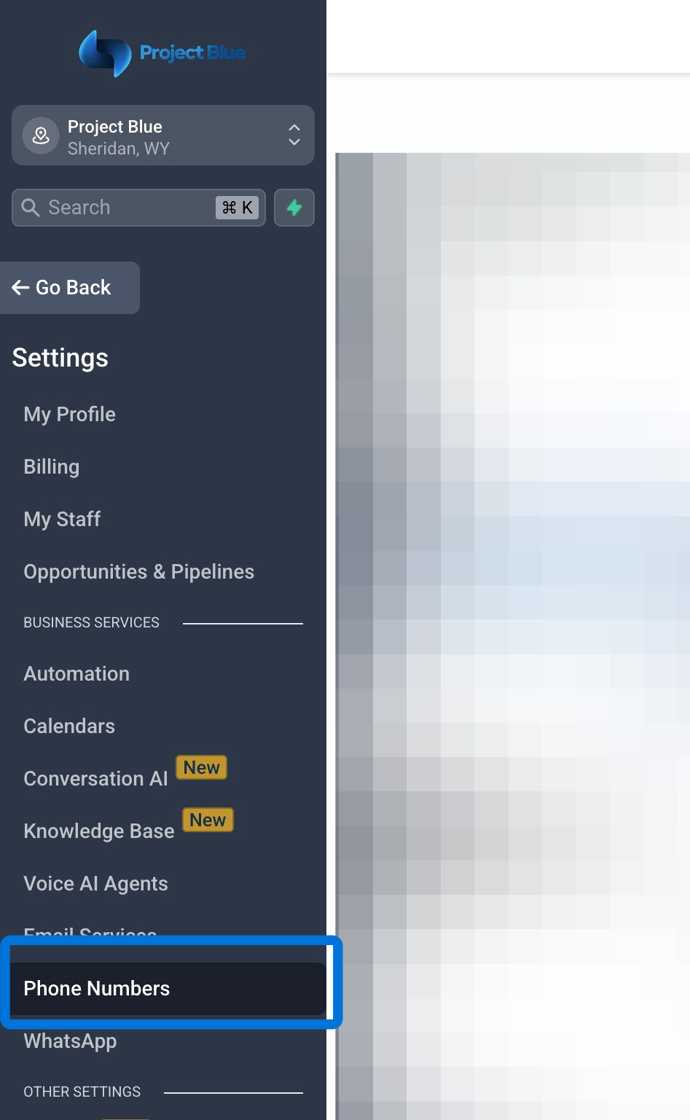
2. Click into "Phone Numbers"
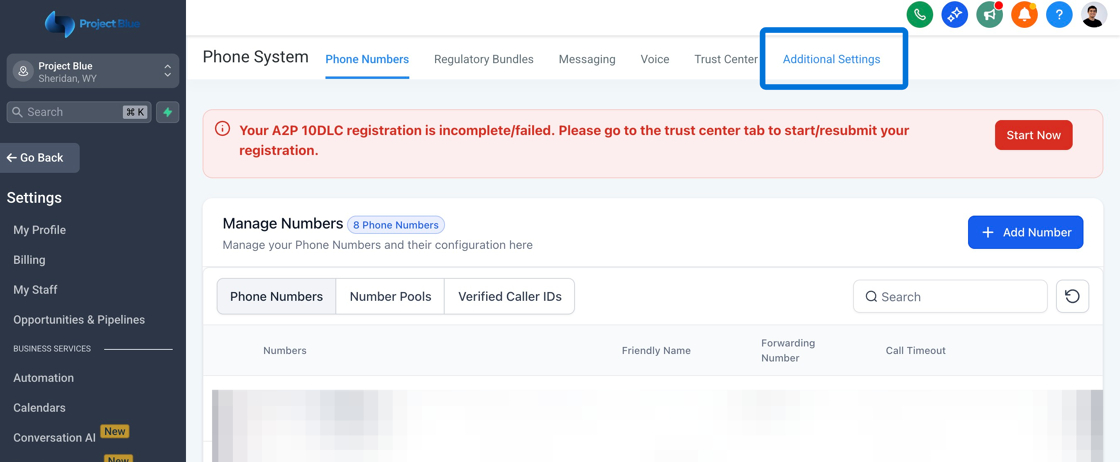
3. Click into "Additional Settings"
4. Click "Telephony Provider"
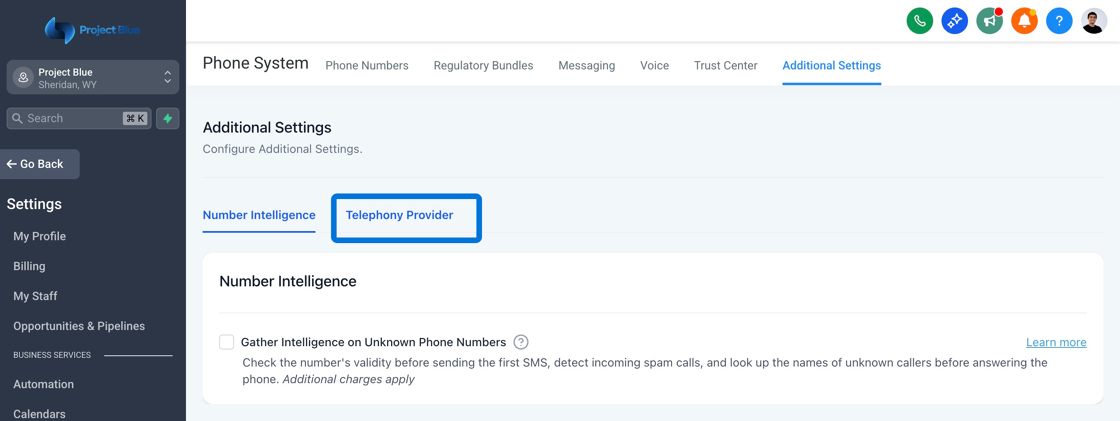
5. Click Project Blue iMessage 2.0 to set it as the provider default, then click Save
The change only applies once you save it.
Switching back
To switch back, choose LeadConnector under Telephony Provider and click Save. Existing conversations may start a new thread.