
Hubspot Notifications
🛎 How to Make Sure You Get Notified for Incoming SMS Messages in HubSpot
Choose how inbound texts show up in HubSpot
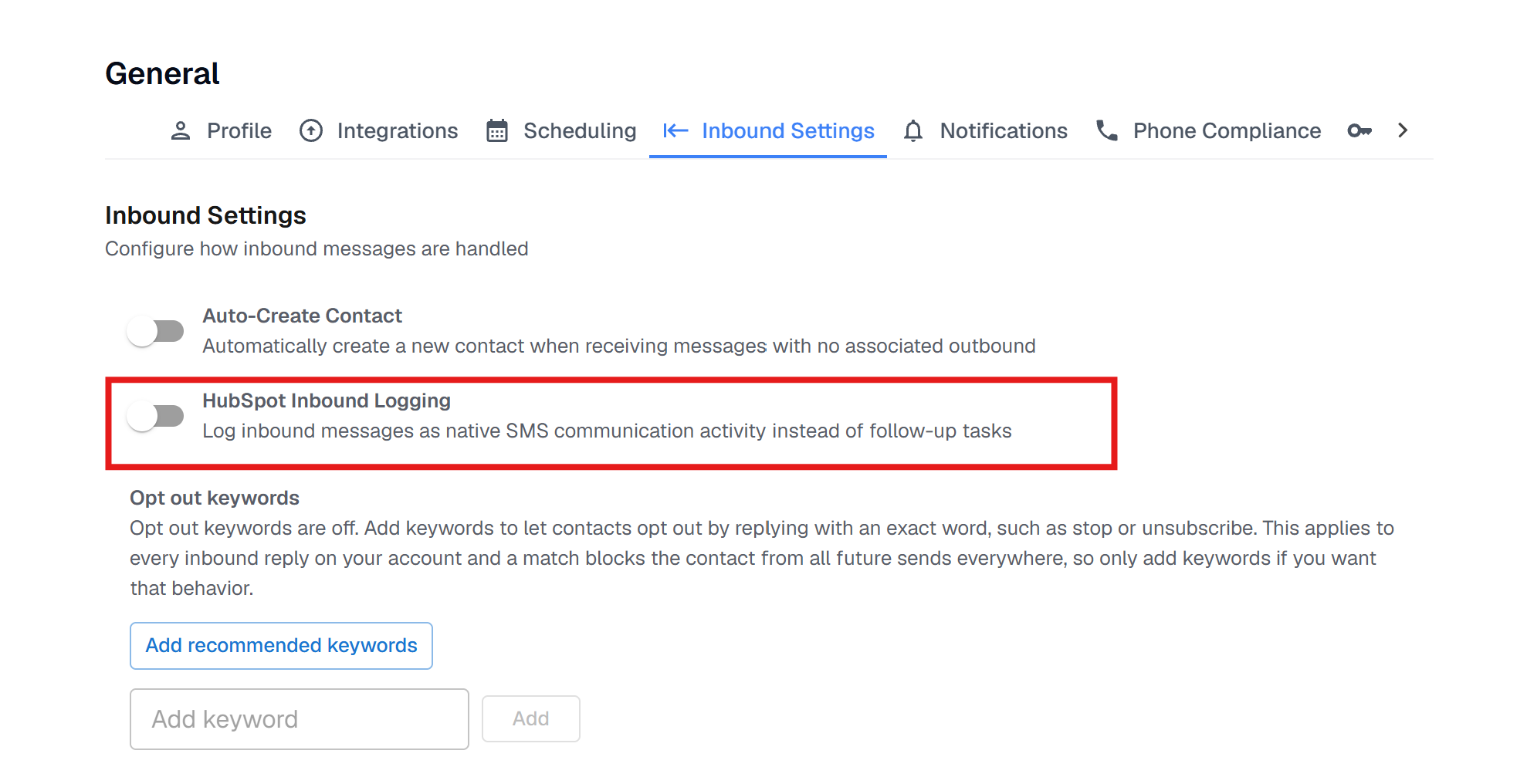
When a contact texts you, Project Blue can add it to HubSpot as a follow-up task or as an SMS communication on the contact. You choose with one toggle in Settings > General > Inbound Settings, called HubSpot Inbound Logging. It appears on HubSpot accounts and applies to the whole account.
Off (the default): Project Blue creates a high-priority Follow up on Inbound Message task on the contact and its company, if it has one. The task goes to the contact's HubSpot owner. This is what the steps below are for.
On: Project Blue logs the text as native SMS communication activity on the contact and its company instead of a task. The texts appear on the contact's activity timeline, so the task notification steps below don't apply.
Good to know:
Each text creates its own task.
Blocked contacts, group chats and reactions don't create tasks or activities. A text from a number that isn't in HubSpot creates one when Auto-Create Contact is on.
Texts you send always log in HubSpot as SMS activity, whichever way the toggle is set.
Set up your task alerts in HubSpot (see the steps below).
If you've connected the iMessage channel to your HubSpot inbox, each text also appears there. See HubSpot: Connect the Project Blue iMessage Inbox.
✅ Step-by-Step: Enable Task Notifications in HubSpot
Log into your HubSpot account.
Click your profile icon (top right) and go to
→ Settings.
In the left sidebar, click
→ Notifications.
Find the task notification settings, usually under “Assignments”, and make sure notifications for tasks assigned to you are turned on.
(Optional) If you’re using the HubSpot mobile app, enable push notifications under your phone’s settings.