
Messaging Conversations
Depending on your conversation provider setup this may look different
More info & steps on this can be found 👉 here
Using the Project Blue app? See Using the Conversations Inbox.
The conversations are the central hub with all your contacts' separate threads or conversations. Any communication thread will be found here just as you normally do within Go Highlevel currently.
Any automations that fire with the contact from an automation workflow will also show up here with the corresponding text or attachment.
This article describes GoHighLevel. HubSpot, Close and API accounts work differently in a few places, which are called out below.
How to send attachments
Attachments can be sent on their own
You don't need to add text. You can send a media attachment, a voice memo, or both, with no message.
File types for automations
For attachments sent from GoHighLevel and HubSpot automations, Project Blue works out the file type from the file itself, not its extension. These are supported:
Images: jpg, png, gif, webp
Video: mp4, mov, avi, mkv
Audio: wav, m4a, mp3, ogg, aac, webm
Contact cards: vcf
PDFs: sent as a link on GoHighLevel.
Other file types, including HEIC photos, fail to send. Project Blue Workflows send text only.
File sizes
GoHighLevel attachments and Twilio SMS and MMS lines are limited to 5MB. Larger images are compressed, and other larger files are sent as a link.
Attaching files by hand
GIFs and PDFs work in the Project Blue web app.
Dragging a file into the Chrome extension doesn't accept PDFs.
HEIC photos are rejected, and aren't converted for you. Convert them to JPEG first.
You can't attach audio files by hand. Record a voice memo in the app instead.
Links and attachments in the Project Blue app
In the Project Blue web app, Chrome extension and mobile app, conversations show links and attachments right in the thread:
Links are clickable, and show a preview card when the website provides one.
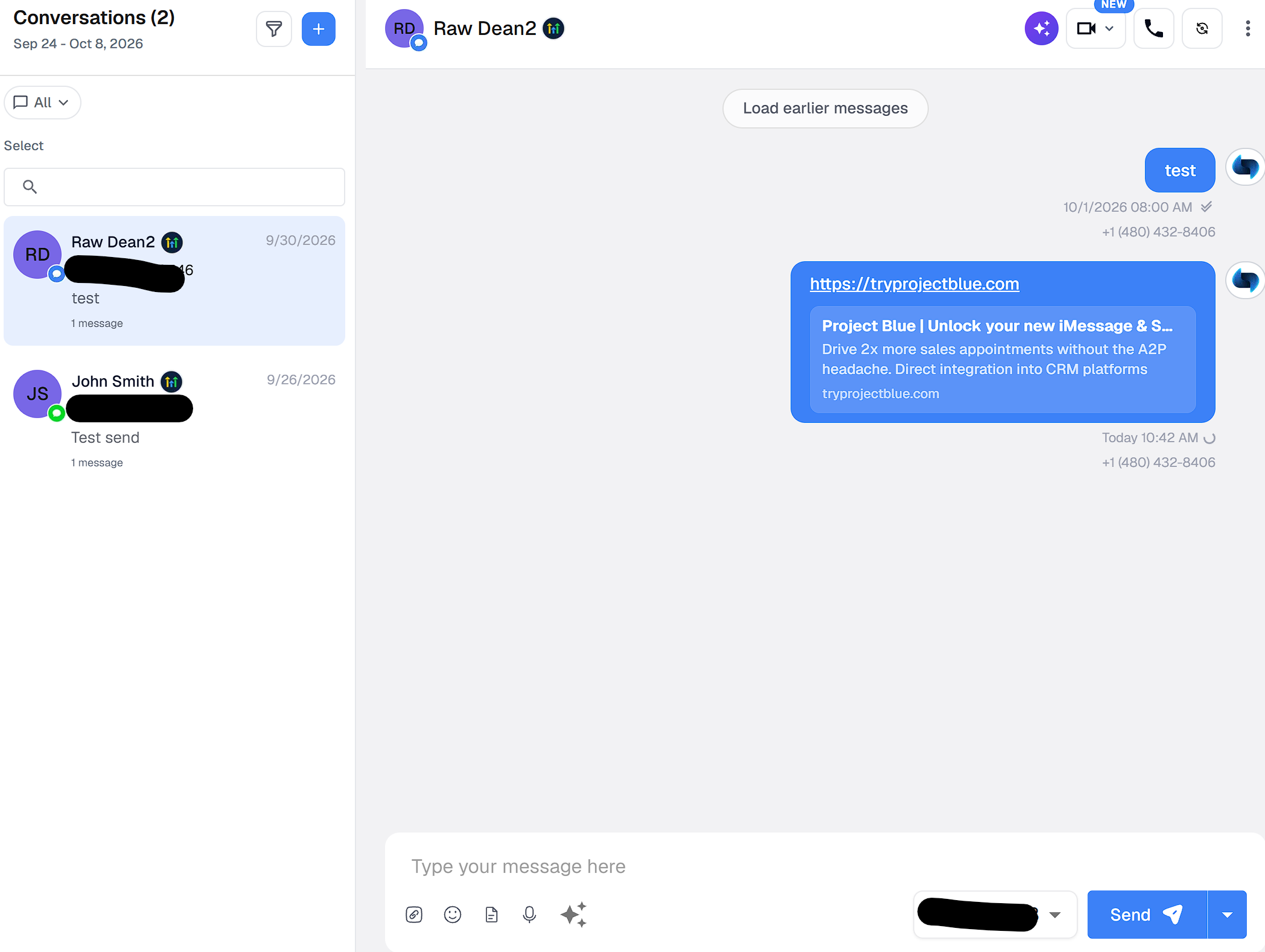
Images, videos and voice memos display or play inside the conversation.
Other files a contact sends, such as PDFs or documents, show as a file you tap or click to open.
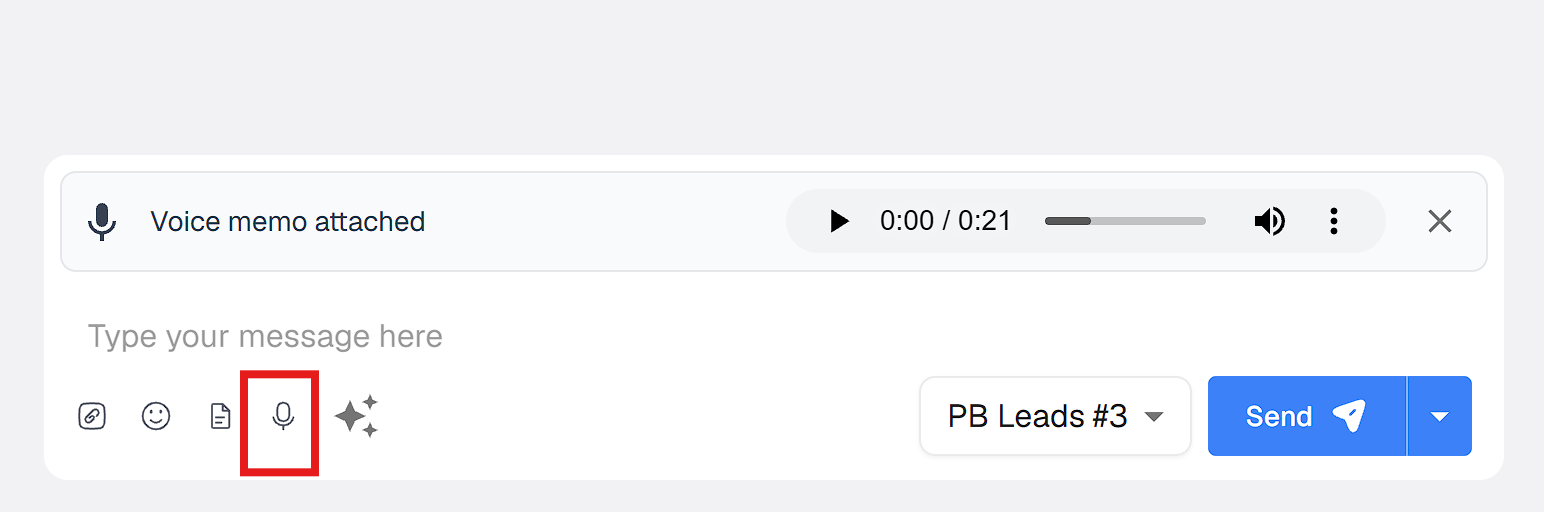
Previews appear wherever we can show them. If a file doesn't open, try again in a few minutes. If it keeps failing, contact Project Blue support.
Files in your CRM
GoHighLevel: images, video and audio from a contact show in the GoHighLevel conversation. PDFs and other documents aren't added, and there's no link. Open them in the Project Blue app instead.
HubSpot: files aren't synced to HubSpot.
Close: files aren't synced. When a message has no text, Close shows "[Attachment]" or "[Voice memo]".
API accounts: each message can carry one media URL or one voice URL.
Conversations with assigned user lines
By default, lines aren't assigned to anyone. Once you assign a line to a GoHighLevel user, every message that user sends from conversations comes from that line, regardless of the sticky number logic.
How to assign a line
The account owner, a team Admin or an agency admin can assign lines. Other team members can't open Line Management.
In Project Blue, go to Settings > Line Management.
Find the line and click Assign in the Assigned HighLevel User column.
Choose User and pick the person. To share the line with a team instead, choose Group and pick the group (see How to Share One Line With Multiple Users).
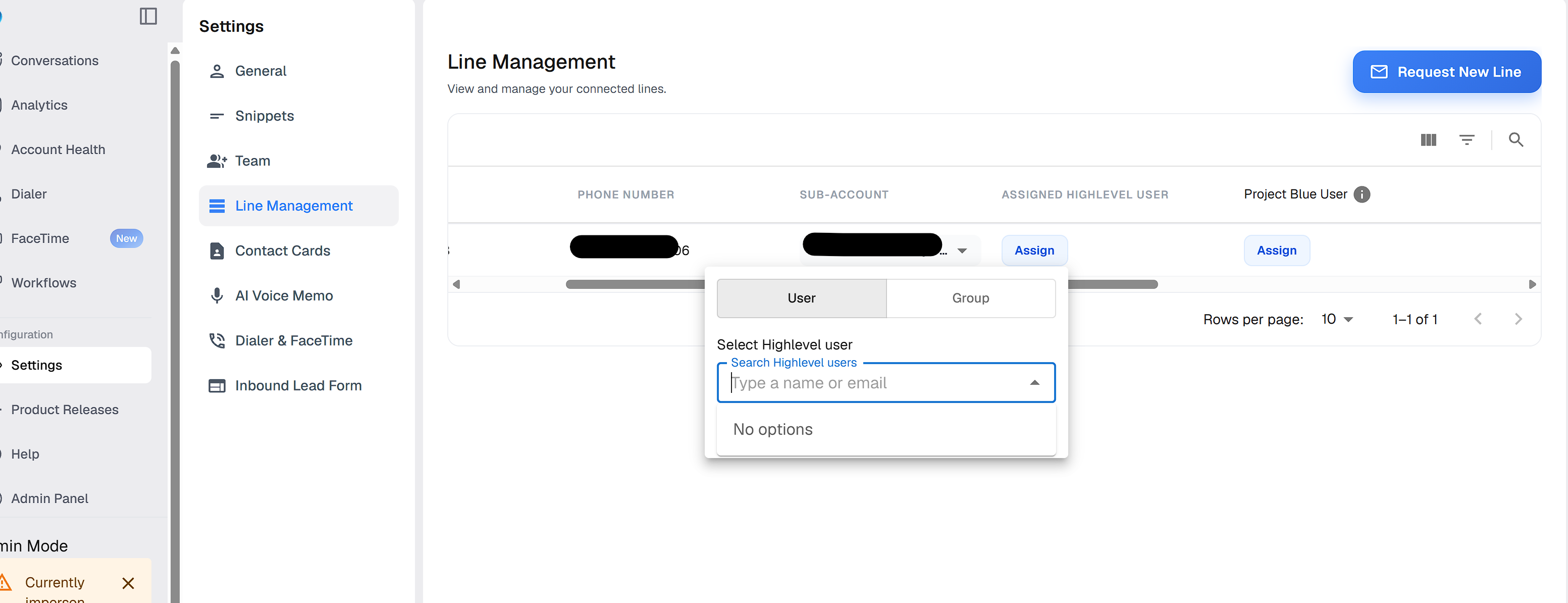
To remove an assignment, click Clear next to the name on that line.
Which line is used when none is assigned
If no line is assigned to the user (the default), Project Blue picks the line in this order:
The line already tied to that contact. Project Blue remembers it for about 42 days.
The line of the most recent message with that contact.
For a brand-new contact, the line that has the most of its 50 daily new contacts left. If lines are tied, Project Blue picks one at random.
HubSpot automations that don't get a line from the contact's owner use the first line linked to your HubSpot account. Close sends that don't have a user use your first line. In the Project Blue web app, the message box pre-selects the first line in your list.